
CPT Code Lookup for Billing Teams: Descriptions, Fees, and Clean Claims
Your billers look up CPT codes all day, and most of the time it feels like a quick job: type a description, …

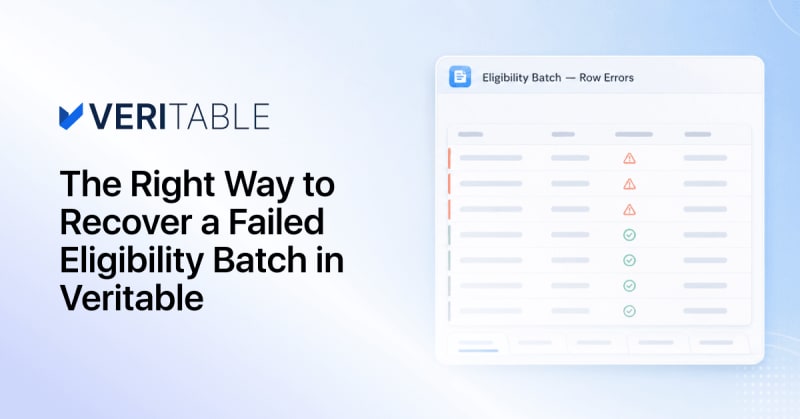
You upload the day’s schedule before 8am, go do something else, and come back to a batch that didn’t finish clean. Some number of patients didn’t clear. There’s one obvious button in front of you, and the instinct is to press it: run the whole error file again.
That instinct costs you the morning. Re-running everything treats two completely different problems as one problem, and only one of them was ever going to be fixed by sending the request a second time.
In this article we will cover:
When an eligibility request doesn’t come back clean, the cause almost always falls into one of two buckets. The right response to each is the opposite of the other.
Subscriber ID mistyped. Date of birth that doesn’t match what the payer has on file. Member not found. The payer received your request, understood it, and told you something in it is wrong. Send that exact request again and you get that exact error again. Every time. These need a correction, not a retry.
The payer’s system was down when your request landed, so it answered “Unable to Respond at Current Time”. Or the connection dropped mid-request and nothing came back at all. Your data was fine. The other end just wasn’t reachable at that moment, and those are exactly the requests worth sending again once the payer is back.
Here’s where “just re-run the batch” gets costly. You re-submit hundreds of requests that are going to fail for the same reason they failed the first time, and the handful that would actually have cleared get buried in the noise. There’s a second cost that’s easier to miss: most payers throttle or block a submitter that keeps hammering them through an outage. That is why Veritable stops sending to a payer that’s returning repeated failures and sets the remaining requests aside as unprocessed, rather than pushing them through and getting you temporarily blocked.
Payer downtime causes a quieter problem than failed requests: it holds the batch open.
A system that keeps automatically retrying a down payer can’t close the batch until it finally gives up. The longer that automatic retry runs, the longer a brief outage at one insurer keeps the whole file in progress, and everything waiting on that batch waits with it. Your 8am upload becomes an afternoon problem because of a payer that was unreachable for ten minutes.
Veritable’s automatic retry is deliberately short and bounded.
That’s enough to ride out a momentary blip, and then it stops. Your batch completes on a predictable schedule no matter how long the payer stays down. Anything longer than a blip becomes a recovery you run deliberately, when you know the payer is back.
On any completed batch in Veritable there’s a Retry payer issues action, and it does one thing. It re-sends the requests that failed because the payer was unavailable or unreachable, the “Unable to Respond” and network-error cases, plus the requests that were set aside as unprocessed while that payer was down.
It doesn’t touch the data errors. A mistyped subscriber ID isn’t going to correct itself on the second attempt, so those requests stay where they are, flagged for the human work they actually need. Scoping the retry this way means no wasted attempts against requests that can’t succeed, and no risk of re-tripping the payer’s failure limit on the way.
Payer-side problems get a button. Data problems get a worklist. They never share a button again.
Confirming a retry doesn’t reopen the original batch. Veritable creates a new one, which runs through the same logic and the same payer protections as any other batch.
That’s deliberate. The original stays untouched as the record of what happened the first time, and the retry gets a clean result set instead of a set of results overwritten in place. The two are linked in both directions: the retry batch points back to the batch it came from, and the original points forward to its retry. If the payer is still down on the second attempt, retry again. Each attempt is its own batch, in a line you can follow back to the original submission.
Recovering the requests is half the job. Getting the results into your systems is the other half, and a retry batch splits your original submission across two result sets.
Veritable’s download menu is built for that split. Pull any single status as its own file, so the daily job of loading active-coverage responses into the EHR is one click instead of a filter and then an export. Once a retry batch exists, the original offers an “all except retried” export: everything that stayed in this batch, with the retried requests left out. Pair that file with the retry batch’s full export and every request in your original submission is accounted for exactly once, across both files, with nothing double-counted.
Stop treating every eligibility failure the same way. Data errors need fixing, payer outages need retrying, and the fastest way to lose a morning is to give them the same button.
One thing worth watching once you’re working this way: your ratio of the two. A batch that’s mostly payer errors is a bad morning at one insurer, and it will clear on retry. A batch that’s mostly data errors is a registration problem upstream, and no retry will ever fix it. Retry payer issues makes that split visible on every batch, which turns a recovery tool into a weekly read on where your front-end data quality actually stands.
Join over 3,200 subscribers and keep up-to-date with the latest innovations & best practices in Healthcare IT.
Your billers look up CPT codes all day, and most of the time it feels like a quick job: type a description, …

Monday morning. Your schedule is full, two new patients still show "unknown" coverage, and someone on the team …
A billing manager at a six-provider practice has forty self-pay accounts sitting in a worklist this month. …
No pricing page to dig through. No demo call to sit through first. Just what you'd actually pay, sent straight to your inbox.
One email. Zero spam.