
Cracking the Code: AI-native Intelligent Document Processing for Medical Records
Healthcare data is as vast as it is complex, encompassing millions of medical records, clinical notes, …

What if you could slash the time required to create a fully annotated, step-by-step tip sheet from hours to mere seconds? For EHR training and informatics teams in complex fields like Health IT, this is a game-changer. At 314e, we built an auto annotation tool that turns this into a reality for our AI-powered Just-in-Time training platform, Jeeves.
Jeeves already had the powerful capability to convert screen-recorded videos into multi-step "tip sheets" in minutes. But one crucial bottleneck remained: the lack of true automatic annotation. Highlighting key UI elements was a manual, time-consuming process that prevented end-to-end automation.
This post dives deep into the architecture we engineered to solve this: a resilient, scalable ML pipeline that powers near-instant automatic image annotation, transforming the content creation workflow from fast to fully automated.
Here's what we'll cover:
An effective auto-annotation process is far more than a single AI command. It’s a complex, multi-stage journey where the failure of one part could jeopardize the entire operation. We had to build a system that could reliably execute a sequence of demanding tasks, from video analysis to image recognition and text generation.
Our primary goals for the system were:
Simpler approaches often prove too fragile for a task this complex. A failure in one step can break the entire chain, and managing the state of hundreds of simultaneous jobs becomes a major challenge. This led us to invest in an enterprise-grade workflow engine as the backbone of our system. This powerful coordinator handles all the complexity of retries, state management, and scaling, allowing our developers to focus on what matters most: the AI logic that makes automatic annotation possible.
We can think of the generation process as a four-act play, managed by our sophisticated workflow engine.
The process begins the moment a user uploads their screen recording. Our system's first responsibility is to establish a perfect, reliable record of the user's actions. The UI provides this directly in the form of a detailed map, linking each mouse click's timestamp to its video frame and precise coordinates.
The initial workflow takes this raw interaction data and formalizes it. The output is a structured JSON object that serves as the "single source of truth" for what the user did and when. This step ensures that every subsequent AI process is grounded in the reality of the user's actual journey.
With a clean set of key moments from the video, the system begins building the guide's narrative.
The process starts by turning the video’s spoken audio (captions) into a clean, readable set of instructions. An advanced language model reads through everything said and transforms it into a structured guide, essentially a list of steps, each with a short title and a description. At this point, the entire tutorial exists in text form only; no images are attached yet.
Once the text is ready, the system enriches it with visuals in a multi-stage process:
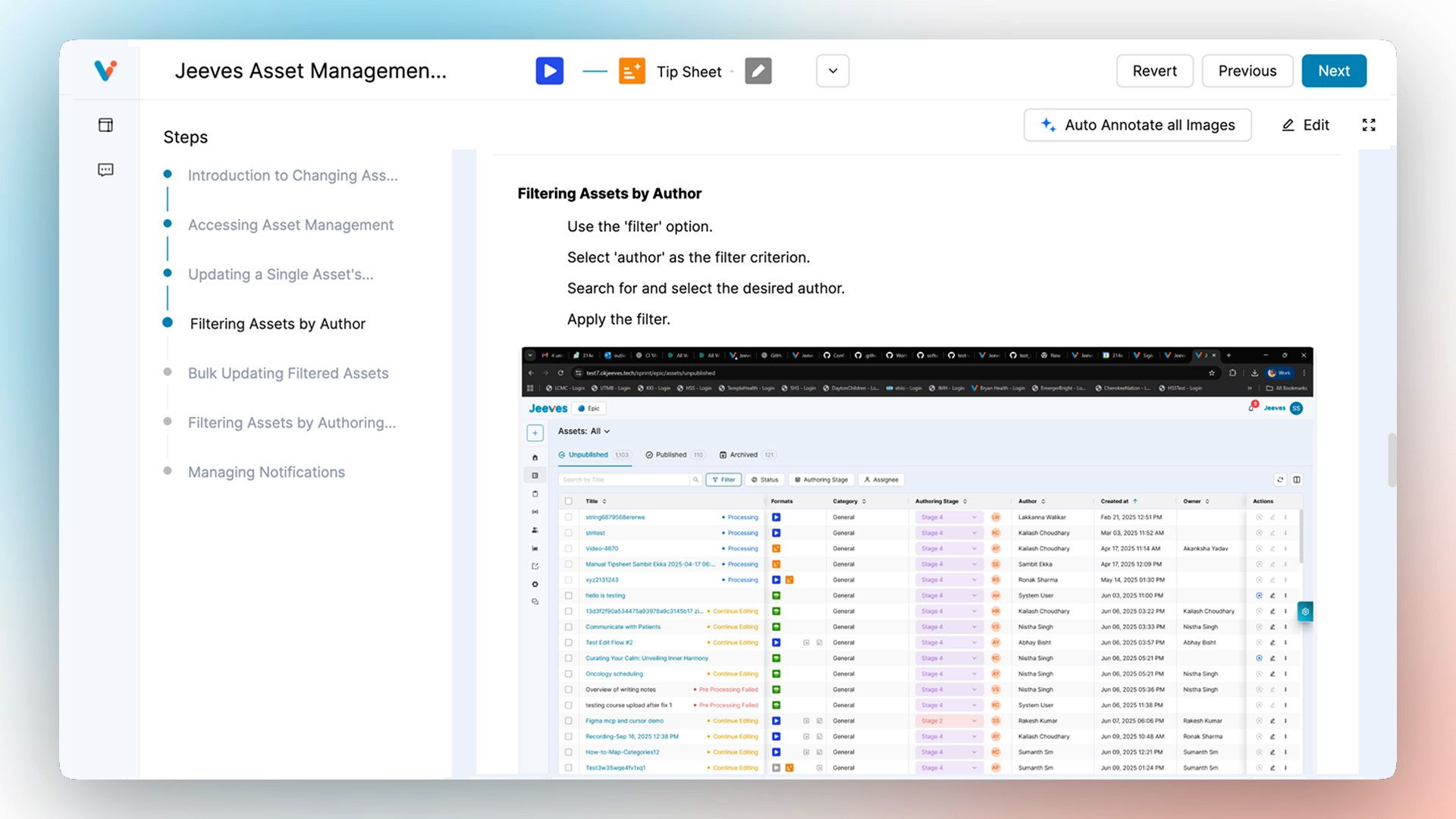
With the text and images in place, the system hands off each image to the next act for the next, magical step: automatic annotation.
This is where our system's "eyes" get to work. For each image, a dedicated process begins a comprehensive visual analysis. This is the core of our auto annotation tool.
The process is a powerful two-part sequence:
This two-step process: first finding, then describing, makes the entire system more accurate and robust, ensuring high-quality results every time.
This final act is the magic the user experiences. When they click the "Auto Annotate" button, our system provides intelligent suggestions. Our initial attempts at this were simple; we just asked an AI to look at the step's description and guess what to highlight. The results were generic and often missed the mark.
We quickly realized that for the best annotations, our AI needed more than just instructions; it needed the user's context.
Our team engineered a "click-aware" process that provides our AI with three key pieces of information to make a brilliant decision:
By providing the AI with what the user was trying to do and what they actually did, its recommendations for what to highlight become remarkably accurate and relevant. It’s no longer guessing; it’s making an informed decision based on real user behavior.
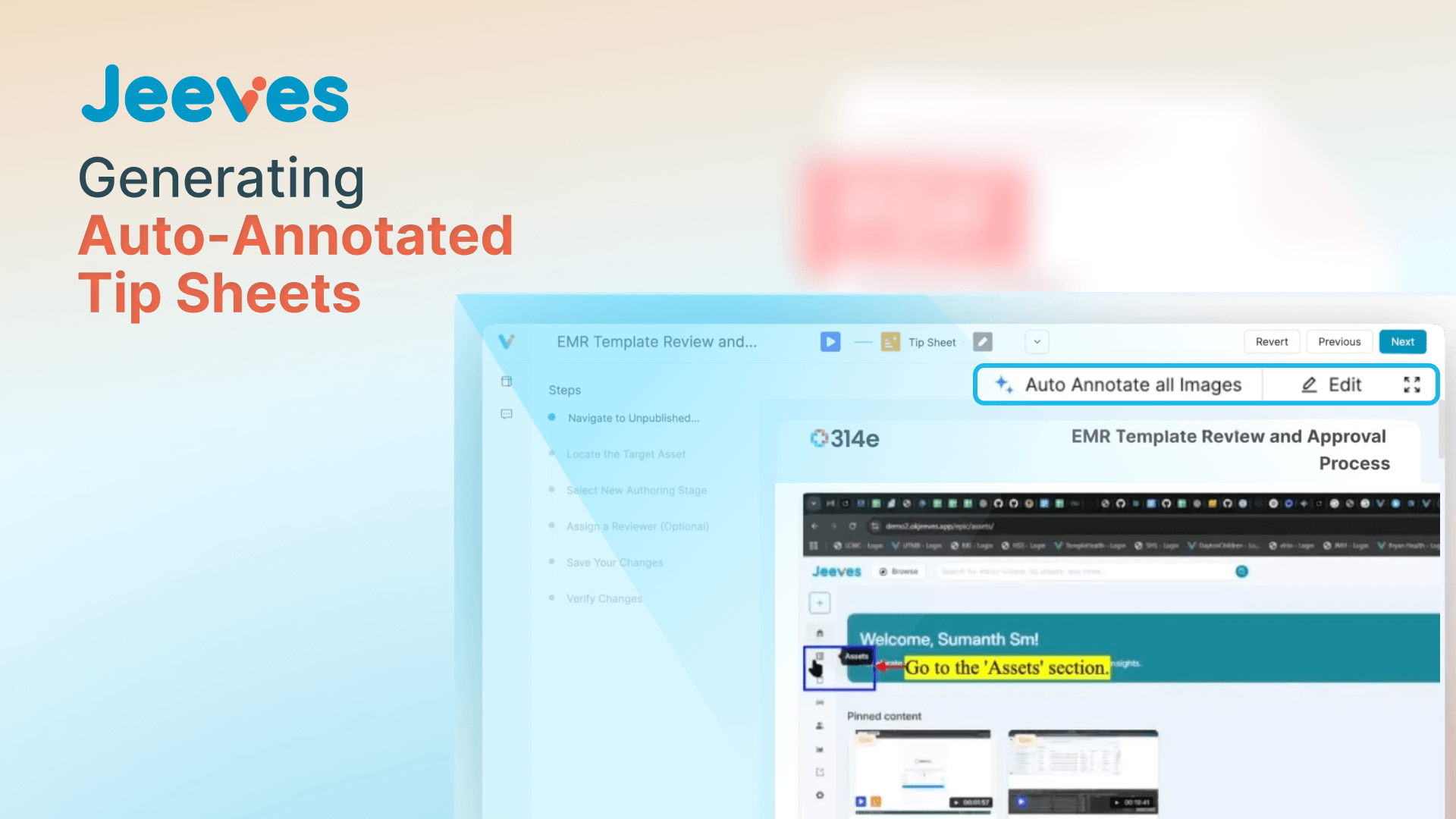
With this final piece in place, the entire process from video upload to a fully generated, intelligently annotated guide is complete in just a few seconds. This has fundamentally shifted the workflow for our users. A training manager's job is no longer to be a content creator, painstakingly drawing boxes on screenshots. Instead, they are now reviewers, giving a final approval to AI-generated content and using their expertise to refine, not to build from scratch.
Building this auto annotation tool taught us several invaluable lessons about architecting complex, AI-powered features:
For any multi-stage, long-running process involving fallible services, a dedicated orchestrator like Temporal is a necessity, not a luxury. It abstracts away the immense complexity of state management, retries, and scalability, allowing engineering teams to focus on delivering business value.
Our most powerful results came from creating a specialist assembly line of models. Instead of relying on one giant model to solve everything, we used a pipeline of smaller, SOTA (State-of-the-Art) models. This approach allows each model to do what it does best, with a final LLM acting as an intelligent synthesizer to connect their outputs into a cohesive, valuable result.
Our initial recommendations were intelligent, but they lacked pinpoint accuracy. The true breakthrough came when we shifted our focus from perfecting the prompt's wording to enriching the data we fed into it. The missing ingredient was the user's own behavior. By incorporating the specific click data for each step, we gave the LLM the crucial context it needed to move from making educated guesses to performing genuine reasoning. This single addition was the key that elevated its output from generic to genuinely insightful, proving that the most valuable data often comes directly from the user's actions.
We are incredibly proud of the engineering behind this feature. It stands as a testament to how thoughtful architecture and a deep understanding of the user's workflow can turn a complex problem into a seamless, almost magical experience.
CONTRIBUTORS BEHIND THE BUILD
Join over 3,200 subscribers and keep up-to-date with the latest innovations & best practices in Healthcare IT.
Healthcare data is as vast as it is complex, encompassing millions of medical records, clinical notes, …

Dexit stands out with its ability to classify documents, extract key entities, and enable seamless …
So, you've deployed your shiny new ML model. It's acing predictions, and life is good. But how do you …