Why Healthcare Still Faxes and What Happens After It Lands
You probably shop for fax as a way to send and receive pages. Sending and receiving are only part of the job. …

TL;DR
This article explains how patient matching links a faxed or scanned document to the one correct chart, why inbound faxes are hard to match, what a misfile costs, and how to score matches, keep people on the uncertain ones, and measure both speed and safety.
A patient’s do-not-resuscitate form once got scanned into someone else’s medical record. ECRI called it a potentially dangerous situation, and it’s not hard to see why.
Most misfiles are quieter than that. A lab result sits in the wrong chart. A referral waits in a queue nobody owns. But they all start the same way: a document arrives, and someone has to decide whose it is.
That decision is patient matching. Here’s how it works for faxed and scanned documents, what it costs when it goes wrong, and how to do it safely.
This article will cover:
Patient matching is the process of linking a record or a document to the one correct patient. That’s the short version.
If you search the term, you’ll mostly find the bigger version of it. Federal agencies, health information exchanges and researchers use patient matching to mean linking records across systems, so that the person a hospital knows by one MRN and a clinic knows by another are recognized as the same patient.
That problem is far from solved. Pew’s 2018 research cites estimates that matching inside a single facility can be as low as 80%, and as low as 50% between organizations, even when both run the same EHR vendor.
This post is about the everyday version. A fax lands with a lab result, a referral or a records request. It’s one document, and it needs to go into one chart.
The two problems are connected, though. Inbound documents get matched against your master patient index (MPI), the list of every patient your organization knows, each with a name, date of birth, MRN and contact details.
So if your MPI holds two records for the same person, even a perfect document reader can file to the wrong one. Document matching is only as good as the index behind it.
A fax is a picture of data, not data. There’s no field called “patient DOB” for software to read. There’s a smudged image of a handwritten form.
And fax isn’t going away. Mail and fax were still the most common ways hospitals received summary of care records in 2018 and 2019, with 76% of hospitals receiving them that way, according to ONC.
Here’s what makes these documents hard to match:
What you can match on also depends on the document type. Two examples make this clear.
A lab result from an outside lab. It usually carries the patient’s name, date of birth and the lab’s own accession number, but not your MRN, because the lab has never seen it. So the match rests on name and DOB, which is exactly where nicknames and swapped dates cause trouble.
A referral for a new patient. The patient may not be in your MPI yet, so there’s no correct chart to find. The safe outcome here is “no match” followed by a new registration, rather than a best guess at someone with a similar name.
A matching error can go two ways, and they are not equally bad.
No match. The document doesn’t get linked to anyone. It sits in an exception queue until a person works it. That costs staff time and delays care, but nobody acts on wrong information.
Wrong match. The document gets filed to the wrong patient. Now two people are affected: one is missing information, and the other has someone else’s information in their chart. A clinician can make a decision based on it.
Pew makes the same distinction between false negatives and false positives. It notes that most institutions lean toward avoiding false positives, so failing to link is the more common problem. That’s the right instinct.
The stakes are real. ECRI Institute’s patient safety organization analyzed 7,613 wrong-patient events reported by 181 healthcare organizations between 2013 and 2015. The two events tied to patient deaths both involved documentation failures.
There’s a privacy angle too. A document filed to the wrong chart puts one patient’s PHI in front of everyone with access to another patient’s record. Most compliance teams will want to review it as a possible privacy incident.
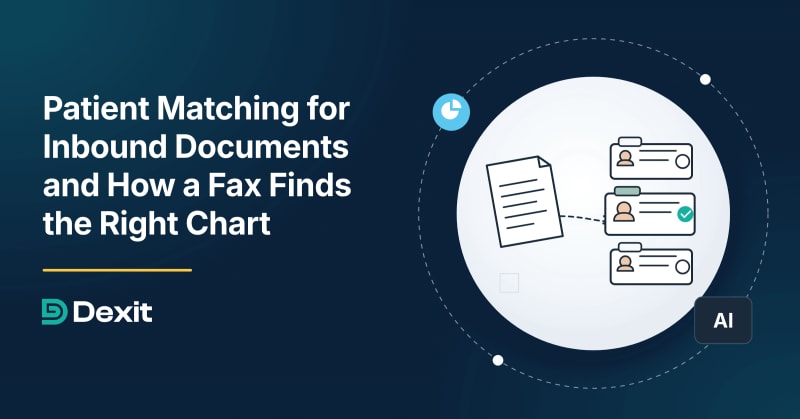
Good matching doesn’t hunt for one exact hit. It compares several identifiers against your MPI, scores the candidates, and acts based on how confident it is.
Here’s how that works, step by step.
The software pulls every identifier it can find: name, date of birth, MRN, sex, address, phone, insurance member ID and the ordering or referring provider. The important part is reading the whole page. Identifiers sit in headers, tables, handwritten fields and footers, not just on a cover sheet or barcode.
“St” and “Street” should count as the same thing. So should 3/7/1961 and March 7, 1961. Normalizing formats before comparing them removes a whole class of false mismatches.
This is where a lot of systems go wrong. If matching requires every extracted field to agree exactly, one typo in a phone number means no result, even when the name, DOB and MRN all line up.
A better approach gives each identifier a weight. An MRN or member ID match counts for a lot. A matching last name on its own counts for little, because many patients share one. The candidate’s total score reflects how much evidence points to them.
Every document ends up in one of three places:
You might ask why you wouldn’t just auto-file everything above some high number. The answer is that a threshold is a risk decision, not a technical one. A wrong match on a marketing letter is an annoyance. A wrong match on a pathology report is a safety event. It’s worth setting stricter thresholds for clinical documents than for administrative ones.
This is how we approach it in Dexit. Its intelligent document processing reads the full page, pulls patient identifiers wherever they appear and checks them against your MPI, a capability we introduced in release 5.0. Confident matches move on automatically. Uncertain ones become review tasks, so your team spends its time on the documents that actually need a human.
People should review the documents the software is unsure about, and only those. Every minute spent re-checking a confident match is a minute not spent on a hard one.
A good review screen makes that fast. It should show the likely candidate charts side by side, and it should show where on the page each identifier came from, so the reviewer can check the DOB against the source instead of trusting extracted text.
In Dexit, reviewers can jump straight to where an extracted field sits in the original document, which turns “is this the right DOB?” into a one-click check.
Mistakes will still happen, so you need a clean way to fix them:
Dexit’s document-in-review feature marks a flagged document as under review until it’s resolved, and audit logs record every change.
If you track one number, you’ll get fooled. Track four:
The reason is that these numbers pull against each other. You can push the auto-file rate up by lowering your confidence threshold, and it will look great on a dashboard right up until the audit shows wrong-chart filings creeping up. Auto-file rate tells you about efficiency. Misfile rate tells you about safety. You need both.
Every downstream workflow depends on patient matching, whether that’s routing a referral, closing a care gap or posting an EOB. If the document lands in the wrong chart, nothing after it can be trusted.
So design for the wrong-match case first. Keep thresholds strict for clinical documents, put humans on the uncertain ones, and measure misfiles alongside speed.
One more thing that’s easy to overlook: clean up your MPI. Every duplicate you merge makes your document matching more accurate, without changing anything else.
If you’d like to see how Dexit matches inbound faxes against your own master patient index, book a demo and we’ll walk through it with your documents.
Join over 3,200 subscribers and keep up-to-date with the latest innovations & best practices in Healthcare IT.
You probably shop for fax as a way to send and receive pages. Sending and receiving are only part of the job. …
Most teams that automate prior authorization start with the request. It goes out through a payer portal or an …

The demo always goes well. A clean fax, every field extracted, one big accuracy number on screen. Then you go …